Webflow Input Enhancer
For the best experience, this project uses the Webflow Input Enhancer extension. We highly recommend installing it. Click here to download (use preview mode to access link)
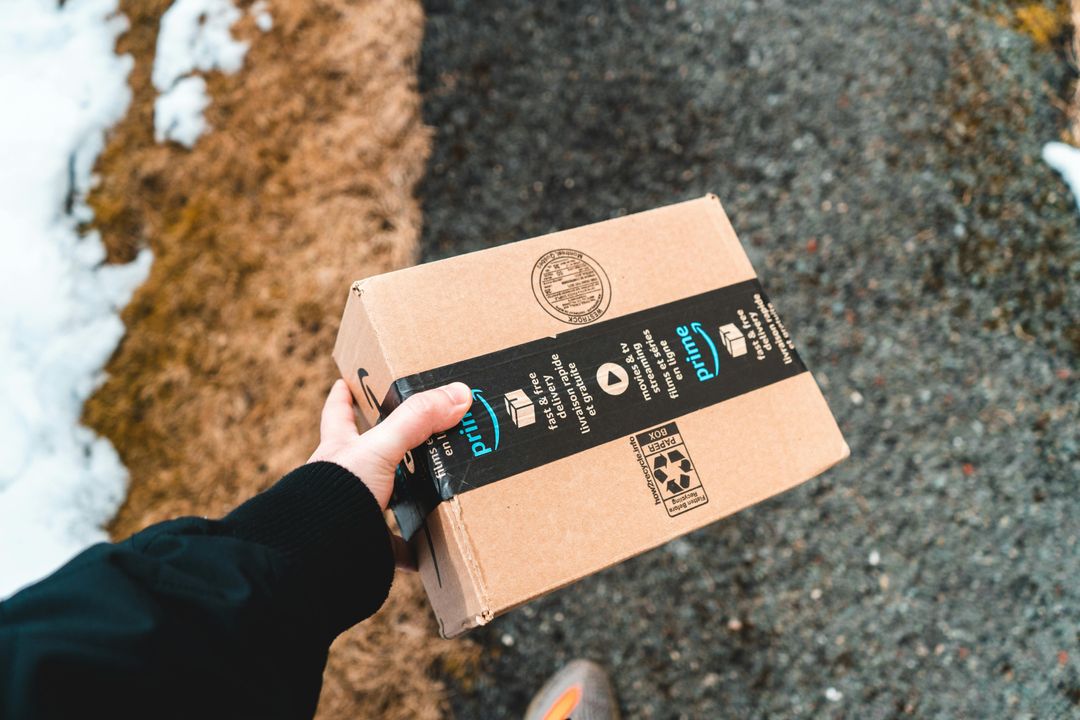
Selling on Amazon is not as simple as putting a product online and waiting for people to buy it.
Shoppers have many products to choose from. They may see several products that look almost the same, compare prices, read reviews, lookat photos, and then decide which one to buy.
That means your Amazon Store needs to do one simple thing:
Make it easy for shoppers to understand your product and feel confident buying it.
The good news is that you do not need to change everything at once. A few smart improvements to your product pages, Brand Store, images, ads, and inventory can make a big difference.
Here are five ways to optimize your Amazon Storefront and give your brand a better chance of getting noticed and making sales.
Your product title, bullet points, description, images, and A+ Content all have an important job.
They need to answer the questions a shopper has before buying.
For example:
Do not fill your listing with complicated words just because they sound professional.
Write for the customer.
If you sell a dog chew, for example, saying:
"Premium Himalayan cheese chew designed for long-lasting canine enrichment"
may sound nice.
But something like:
"A long-lasting cheese chew for dogs that love to chew"
is much easier to understand.
Use real customer language
One of the easiest ways to improve your content is to look at customer reviews.
Read your own reviews and competitor reviews. Look for word’s customers use again and again.
If customers keep saying things like:
those phrases can give you ideas for your product content.
You should still write original content and follow Amazon's rules. But customer language can help you understand what shoppers actually care about.
A+ Content can also help explain your product with better images, comparison charts, videos, and other visual content.
Amazon says Basic A+ Content can increase sales by up to 8%,while well-implemented Premium A+ Content can increase sales by up to 20%.These are Amazon's internal estimates, so they should be treated as potential improvements rather than a guarantee for every product.
The lesson is simple:
Don't just tell shoppers what your product does. Show them.
Your Amazon Brand Store should not look like a random collection of products.
Think about a physical store.
When you walk into a good store, you can usually find what you need without asking someone for help.
Your Amazon Brand Store should work the same way.
You can create different pages or sections for:
Amazon Brand Stores are free for eligible brands, and they give you a place to show your products, brand story, lifestyle images, and videos.
And there is some interesting data behind them.
Amazon reports that shoppers who visit a Brand Store during their shopping journey purchase 53.9% more frequently, have a 52.1% higher add-to-cart rate, and have a 71.3% higher average order value than shoppers who do not visit a Store.
That does not mean creating a Brand Store will automatically increase your sales by those numbers.
But it does show that Brand Stores can be an important part of the shopping journey.
Do not make customers click through five pages to find your best-selling product.
Put your strongest products where shoppers can see them quickly.
Your first page should answer:
Who are you, what do you sell, and why should I care?
Amazon is a visual marketplace.
Before a customer reads your entire listing, they will probably look at your main product image.
That makes your images extremely important.
Your image set should not simply show the product from six different angles.
Each image should have a purpose.
For example:
Image 1: Show the product clearly.
Image 2: Explain the main benefit.
Image 3: Show the product being used.
Image 4: Explain size, ingredients, materials, or important features.
Image 5: Compare your product with other options.
Image 6: Show what comes in the package.
Lifestyle images are also useful because they help shoppers imagine the product in their own lives.
For example, if you sell kitchen products, show the product being used in a real kitchen.
If you sell pet products, show the product being used by a dog or cat.
If you sell skincare products, show how and when the product is used.
Some products are difficult to explain with pictures alone.
A short video can show:
The goal is not to make a five-minute commercial.
Sometimes a simple 20- to 30-second video can explain something that would take several paragraphs to describe.
Amazon also gives brands several creative areas to work with, including product images, A+ Content, video, Brand Stores, and Brand Story.
The important thing is to make all of these piece’s work together.
Even a great Amazon Store needs visitors.
This is where Amazon advertising can help.
Sponsored Products can put individual products in front of shoppers who are already searching on Amazon.
Sponsored Brands can help shoppers discover your brand and can send them to your Brand Store.
The two can work together.
For example, imagine you sell five different skincare products.
You could use Sponsored Products to promote individual products when shoppers search for relevant terms.
At the same time, you could use Sponsored Brands to introduce shoppers to your brand and send them to your Brand Store.
This gives shoppers a chance to see more than one product.
Amazon reports that shoppers spend 2x longer on a brand's Store and product detail pages after clicking on that brand's Sponsored Brands campaign, on average.
Again, this is not a promise that every campaign will produce the same result.
Your advertising still depends on your keywords, products, pricing, creative, competition, and many other factors.
A campaign can get lots of clicks and still lose money.
Look at:
Then move more of your budget toward campaigns and products that are actually helping your business.
You can have great content and great advertising, but problems with pricing or inventory can still hurt your sales.
Imagine a shopper finds your product, likes it, and wants to buy it.
Then they see:
Currently unavailable
You may have just lost that sale.
That's why inventory management matters.
Watch your best-selling products closely and try to avoid running out of stock.
At the same time, don't order huge amounts of slow-moving products just because you want your warehouse to look full.
Amazon shoppers can compare products very quickly.
If your product costs $39.99 and a very similar product costs $24.99, you need to give customers a good reason to pay more.
That reason could be:
Don't automatically try to be the cheapest seller.
Instead, make sure your price makes sense when compared with the value you provide.
Keep checking your account
You should also regularly check your Amazon account health, customer feedback, returns, reviews, and policy notifications.
Small problems are easier to fix when you find them early.
Do you need help optimizing your Amazon storefront? We're here to help.
Q. How do I optimize my Amazon storefront for more sales?
Ans. To optimize your Amazon storefront, focus on keyword-rich product listings, high-quality images, A+ Content, Sponsored Ads, competitive pricing, and inventory management. A well-optimized storefront improves visibility, conversion rates, and overall sales performance.
Q. What is the most important factor in Amazon storefront optimization?
Ans. Product content and creative assets are among the most important factors. Optimized titles, bullet points, images, videos, and A+ Content help shoppers understand product benefits and increase conversion rates.
Q. Does Amazon storefront optimization improve product rankings?
Ans. Yes. Optimizing listings with relevant keywords, maintaining strong sales performance, managing inventory effectively, and generating positive customer reviews can improve organic rankings within Amazon search results.
Q. How often should I update my Amazon storefront?
Ans. Amazon storefronts should be reviewed and updated regularly. Most successful brands optimize listings, creative assets, pricing, and advertising campaigns monthly while making seasonal updates for promotions and new product launches.
Q. Why are Amazon Sponsored Ads important for storefront growth?
Ans. Amazon Sponsored Ads increase product visibility, drive targeted traffic, and help shoppers discover your brand. When combined with an optimized storefront and strong product content, Sponsored Ad scan significantly improve conversions and return on ad spend (ROAS).